Bank Holidays
The bank holidays & non-working days configuration is used for the Billing and Collection module. This setting controls the behavior of the direct debit generation endpoint; it prevents the endpoint from generating a direct debit file on a date corresponding to a bank holiday - like Easter or other dates declared as non-working days by authorities.
Bank Holidays can be added, edited or deleted. In order to do so, take the following steps:
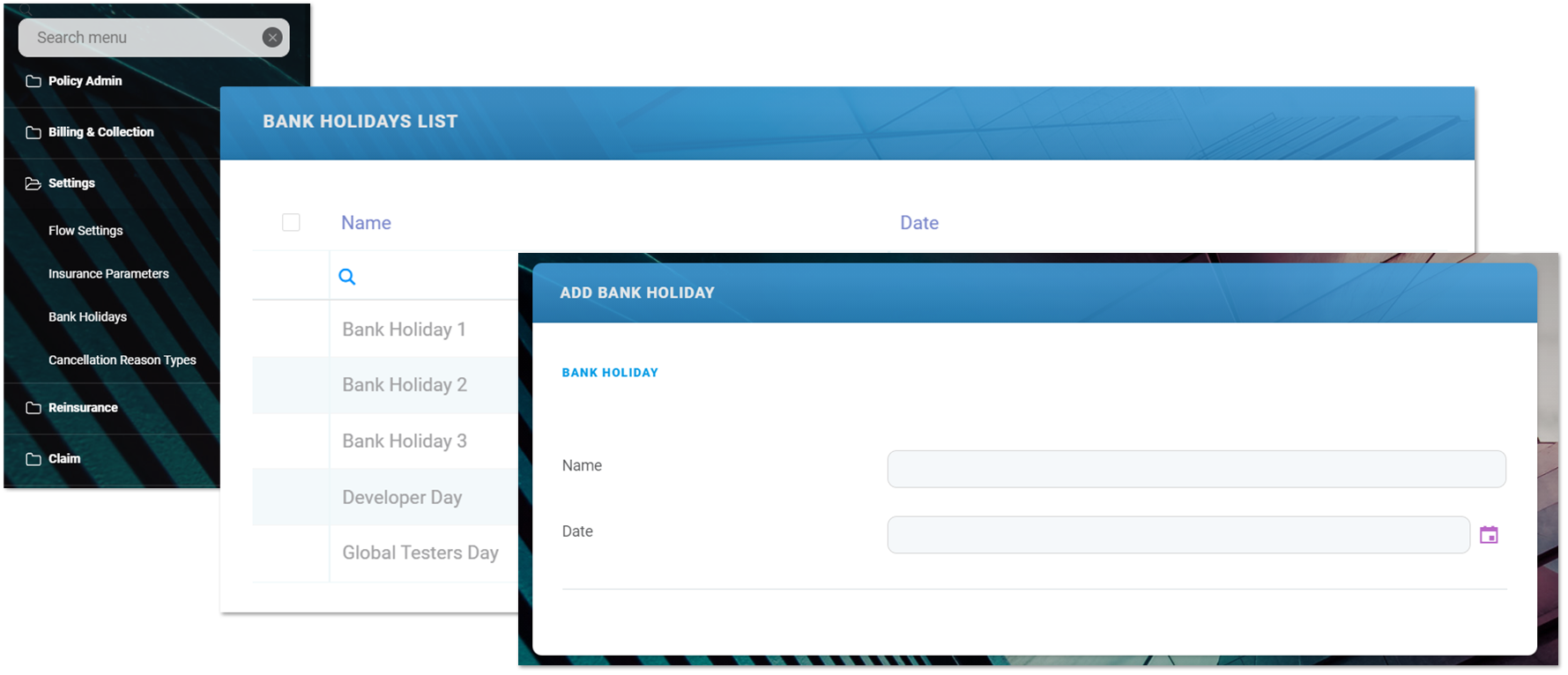
To add a new record into your Bank Holiday configuration list for your insurance module, follow the steps:
-
Open your FintechOS portal and click the main menu at the top left corner. The main drop-down opens. From the drop-down choose Settings.
-
Inside the Settings menu, click on Bank Holidays. The Bank Holidays List page is displayed.
-
In the Bank Holidays List page:
-
To Add a new record, click Insert, at the top right corner of the page. Use the pop-up window to insert the Name of the bank holiday and the date selector to set the invariant Date.
-
To Edit a record from the grid, double click it and use the edit window to insert your updates. Click Save at the top right corner of your screen.
-
To Delete a record from the grid, select it and click Delete, at the top right corner of the page.