Solution Walkthrough
The Value-Added Marketplace Powered Lending digital journey enables a user to apply for a loan. The user is an Existing Authenticated Customer (a customer of the bank, authenticated in the FintechOS Portal). It is powered by automation processors such as Banking Product Factory, Configuring the Business Formulas, and Configuring the Business Workflows Processor. It is configurable to fit the business needs of any financial institution by use of such micro-services.
The solution enables a loan origination service, which can have as starting point the configuration for a holiday, buying a house, starting a business, creating a savings deposit or any other process. By profiling the potential customer, the customer needs can be determined in a straightforward way. After the need is identified, the personalized loan can be offered.
Throughout the journey, the headings are dynamic depending on the location where the potential customer is going. The headings of the pages within the journey use common expressions in English, Spanish and French. For this solution, several integrations have been simulated to offer the base for the following API connections:
- For flights: Momondo.
- For Accommodations: Booking.com and Airbnb.
- For car rental services: Enterprise rent a car, Dollar rent a car.
- For travel insurance: American International Group and Allianz Travel.
Moreover, there are three banking products created, i.e. term loans, which can be modified to be adapted to any business need. The approval of a customer for any of the products is done through the use of formulas documented in this guide. These formulas and matrices used can be modified to fit the standards of the financial institution in question.
Below is a UML diagram showing the main actions that the user takes to apply for a loan.
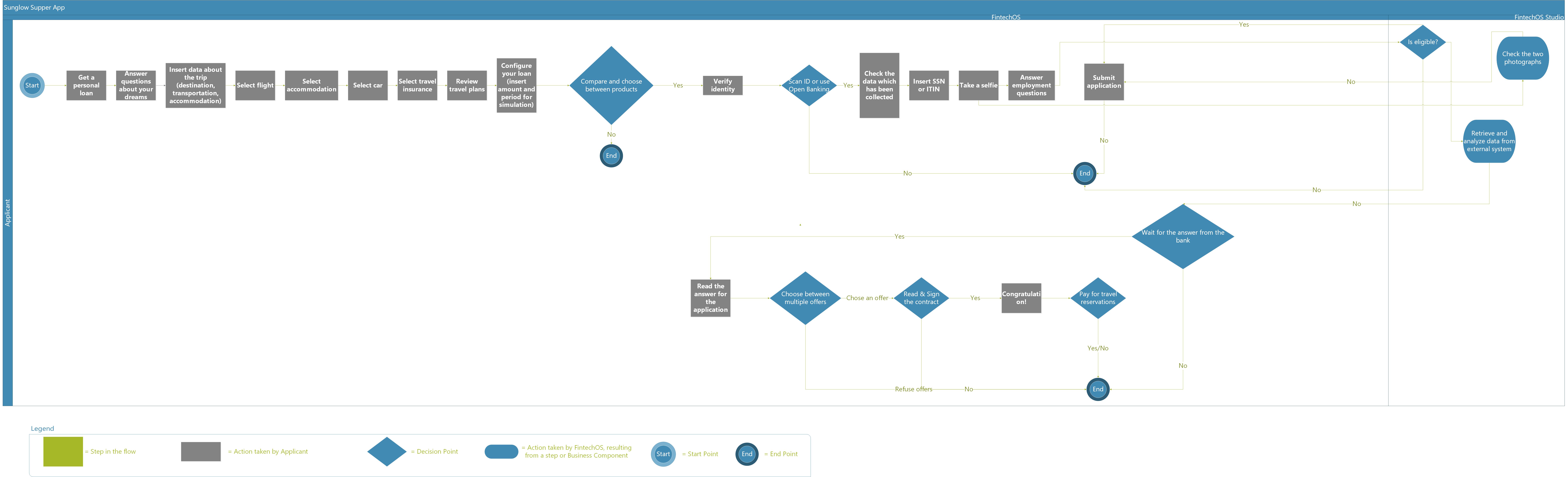
To download the diagram, click here.
The image below describes a detailed Value-Added Marketplace Powered Lending workflow containing the statuses the journey passes through. For each status, there is an explanation as to what action it corresponds to. The transitions between statuses are displayed as well.
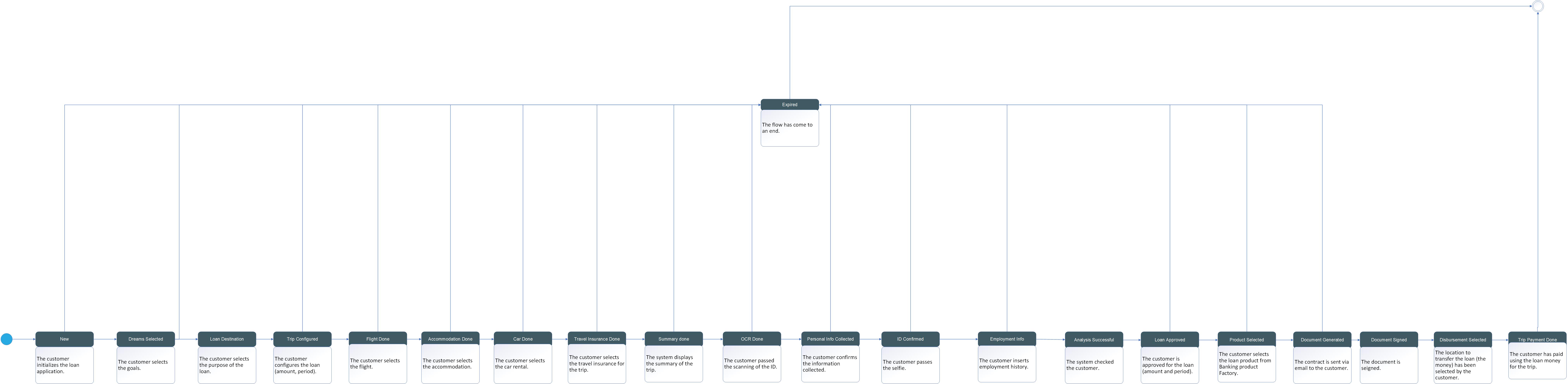
To download the diagram, click here.