Search Company
The FintechOS KeysFin Connector offers the possibility of searching the KeysFin platform for details regarding companies registered in Romania. Institutions can add this connector to their digital journey to easily retrieve the necessary company information.
The below walkthrough is a proposition on how to use the FintechOS KeysFin Connector in a digital journey to search for company data.
1 Access KeysFin Connector
1. Log into the FintechOS Portal using the given credentials.
2. From the main menu, expand My Projects > KeysFin.
3. Select the Company Search option. The Company Search page opens.
4. At the top-right corner of the screen, click the Insert button. The Add Company Search - Step 1 page opens.
2 Search for Company Data
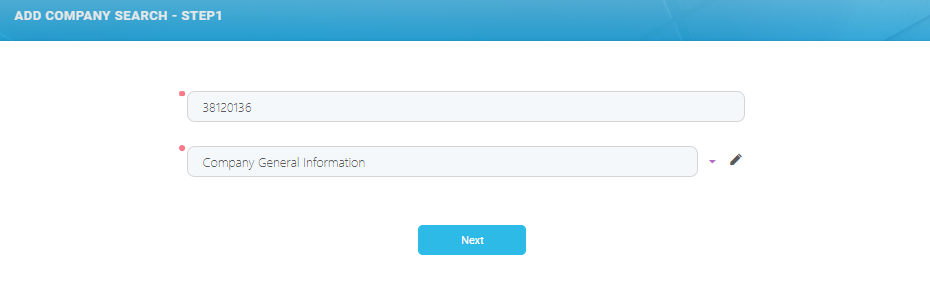
5. In the Add Company Search - Step 1, fill in the following fields:
The data retrieved through the KeysFin connector is mapped in the connector's data model and in the
FTOS_EXTD_KEYS_Search entity json response attribute. | Field | Required | Type | Description |
|---|---|---|---|
| Search Term (CUI) | Yes | Text | Enter the name or the company unique fiscal code. |
Method | No | Option Set | The following options are available:
NOTE The [none] value is not valid. An error is returned if this option is selected. |
6. Click the Next button. The Edit Company Search page is displayed. This page contains general company information and company group.
7. Click on each section to see the retrieved data.
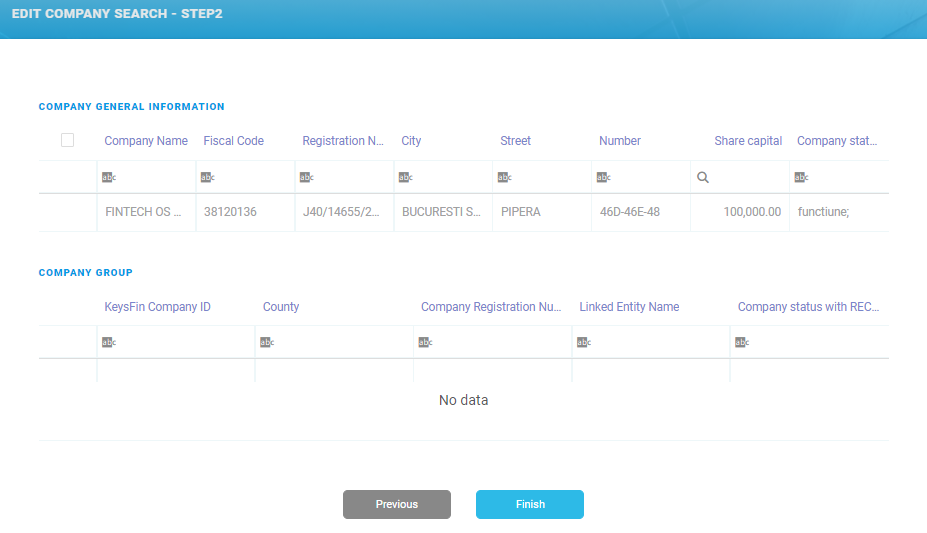

8. Click the Finish button. The Company General Information List page opens.
To make changes to the search, click the Previous button to go back to the Add Company Search - Step 1 page.