Saving the Campaign
Before saving the campaign, go to the Generated Previews tab to preview it. The following data is displayed:
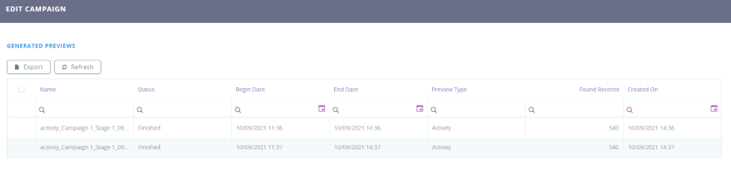
| Field | Description |
|---|---|
| Name | The campaign name. |
| Status | The campaign status. |
| Begin Date | The date the campaign started. |
| End Date | The date the campaign ended. |
| Preview Type | The preview type. Possible values are: segment, audience, activity, campaign plan. |
| Found Records | The number of records found. |
| Created on | The system date when the campaign record is inserted. |
To save the campaign, click the Save and Close button at the top right corner.