Approving a Current Account
You can perform the approval either from a customer journey flow via API integration or from the Loan Management user interface.
After defining the relevant details of the contract, proceed to contract approval:
-
Select a contract in Draft (or Version Draft) status.
-
Change its status into Approved.
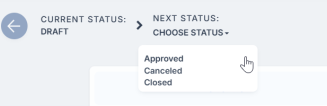
-
Click Yes to confirm your action.

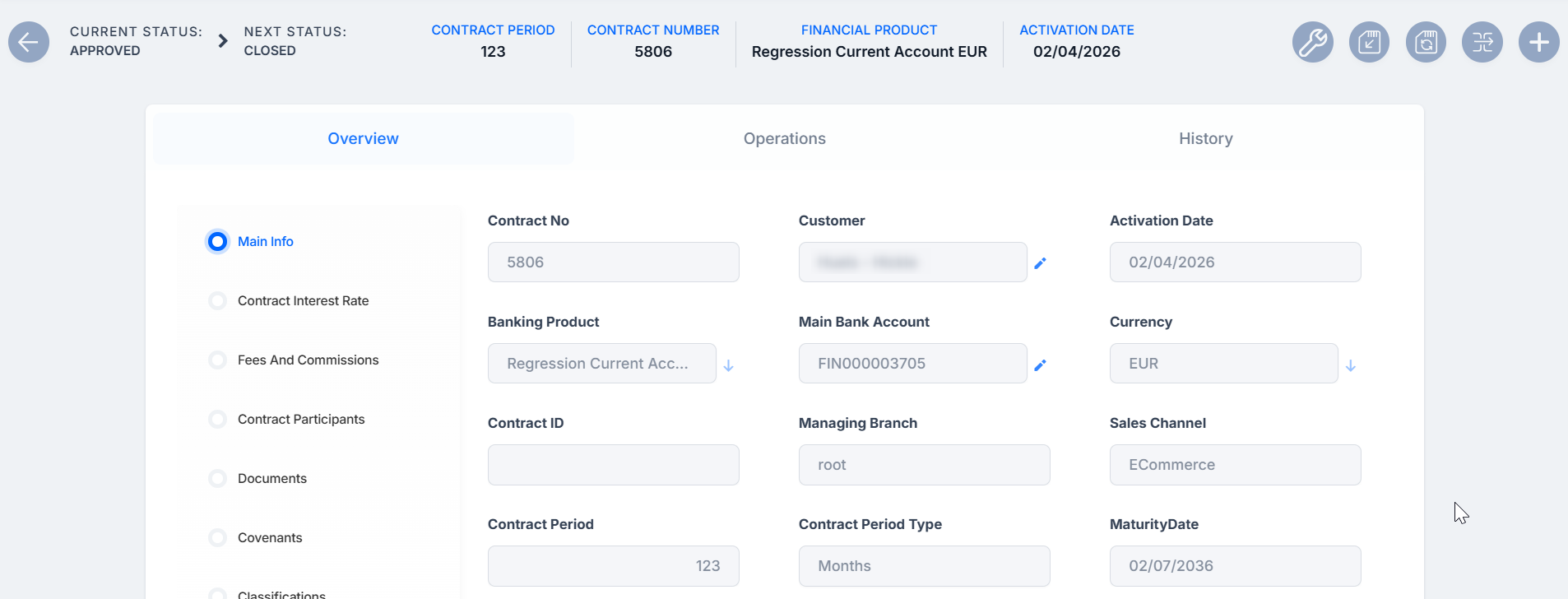
If Loan Management performs all the validations successfully, then the current status of the contract changes to Approved and Loan Management automatically generates the current account number, displaying it in the Main Bank Account field.

Automated Actions After Contract Approval
The Main Bank Account is created automatically for the bank defined as Main. In the Overview tab > Main Info, click the pen symbol next to the Main Bank Account to view its details and operations associated to that account. Alternatively, you can go to the Operations tab to view Bank Account Operations. In order for Loan Management to generate an account number, a rule must be defined during the implementation phase (example: branch code + incremental sequence number).
On the Operations tab you can see the repayment schedule that was generated based on the commissions with Commission Undrawn Amount (overdraft) type, if any.