Exchange Rate Type
Although Loan Management uses only the BER (Bank Exchange Rate) is used when defining exchange rates, if there is a need to differentiate between exchange rates based on currency market or business area you can create exchange rate types.
To manage exchange rate types, follow these steps:
-
In FintechOS Portal, click the main menu > Contract Management > Contract Management Settings > Banking Settings.
-
Click the Exchange Rate Types tab. You can add new exchange rates types or search, edit, and delete existing ones.
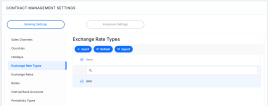

Creating Exchange Rates Types
Follow these steps to create a new exchange rate:
-
Click the Insert button. The Add Exchange Rate Type page is displayed.
-
Fill in the following fields:
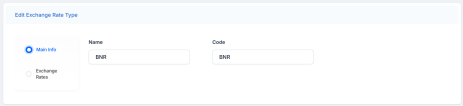
-
Name - Enter the name of the exchange rate type.
-
Code - Enter the code of the exchange rate type.
-
- Click Save and reload.
- Click the Exchange Rates tab to view previously created rates or insert a new one.
