Commission Type
Commission types are used to categorize commissions according to their intended usage. For example, there are administration fee type commissions, front-end fee type commissions, payment holiday fee type commissions, return fee type commissions, and so on.
To manage commission types:
- Log into Innovation Studio.
- Click the main menu icon at the top left corner.
- In the main menu, expand Product Factory > Banking Product Dictionaries menu.
- Click the Commission Type menu item to open the Commission Types List page.
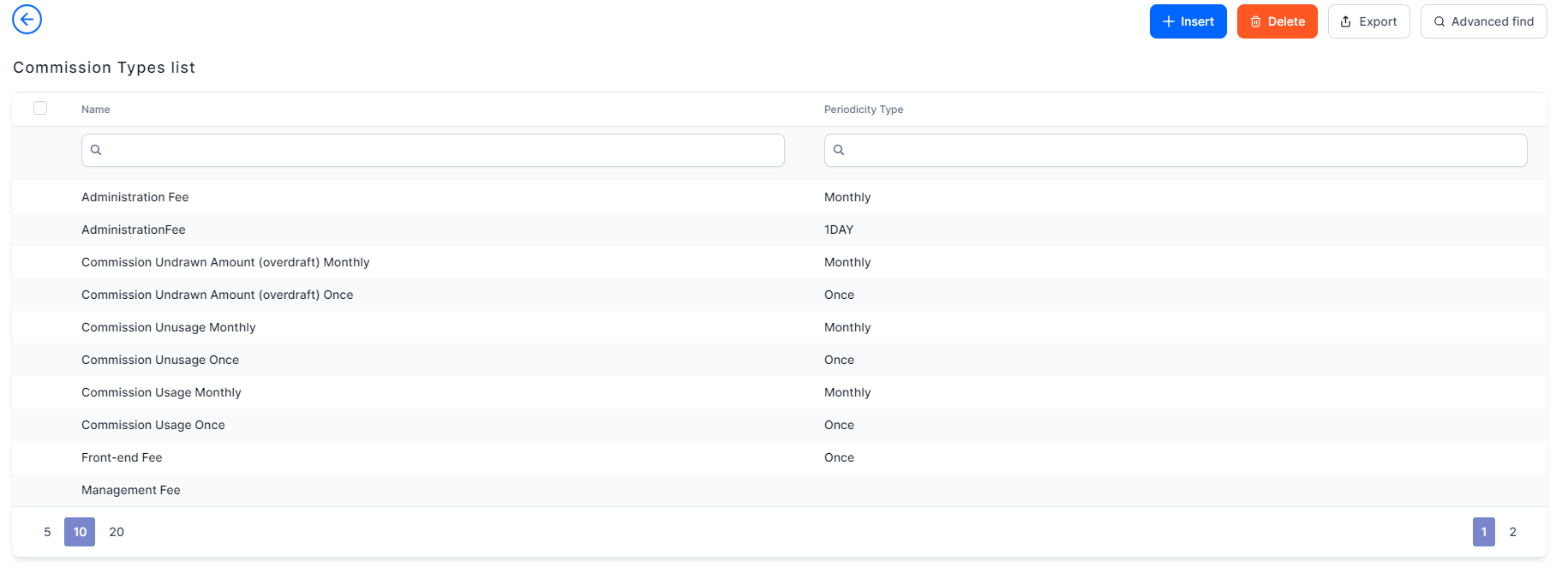
On the Commission Types List page, you can:
- Add a new commission type by clicking the Insert button at the top right corner of the page.
- Edit an existing commission type by double-clicking it.
- Delete a commission type by selecting it and clicking the Delete button at the top right corner of the page.
- Search for a specific record by filling in any of the column headers of the displayed records list.
The Edit Commission Type page allows you to configure commission type settings.

Users with the associated role of Banking Product Admin can insert, update, or delete commission type records.
Creating Commission Types
Follow these steps to create new commission type records:
-
In the FintechOS Portal, click the Insert button on the top right side of the Commission Types List page. The Add Commission Type page is displayed.

-
Fill in the following fields from the Commission Type section:

| Field | Mandatory | Data Type | Details |
|---|---|---|---|
| Commission Schema | Yes | Lookup | Select the schema to which this commission type belongs, if any. |
| Name | Yes | Text | Enter the name of the commission type. |
| Periodicity type | No | Option set | Automatically filled-in when you choose the commission type. |
| Operation Item |
No |
Lookup | Select the operation item to which this commission type should be applied. |
-
Click the Save and Close button at the top right corner of the page. The new commission type is created and ready to be used.