Agreements
Agreements are set up independently from the banking products because a product may require multiple types of agreements, while a certain type of agreement can be required by multiple products.
To manage agreements:
- Log into Innovation Studio in Developer mode.
- In the main menu, expand Product Factory.
- Click Banking Agreements to open the Agreements List page.
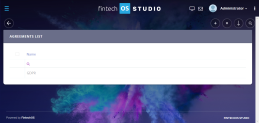
- In this page, you can:
- Add a new agreement by clicking the Insert button at the top right corner of the page.
- Edit an agreement from the section by double clicking it.
- Delete an agreement from the section by selecting it and clicking the Delete button at the top right corner of the page.

The Edit Agreement page allows you to configure agreement settings.

Adding Agreements
- To create a new agreement, click the Insert button on the top right side of the page. In the newly opened Add Agreement page, fill in the following fields from the Agreement section:
Field Details Name Name of the agreement. The name must be unique. Display Name The display name of the agreement. Code Code of the agreement. The code must be unique. - Click the Save and Reload button at the top right corner of the page. The Banking Product Agreements section is displayed.
- Click the Insert button to attach an agreement to the banking product.

Banking Product Agreements
The Banking Product Agreements section allows you to associate the agreement with banking products (see Managing Banking Products for details) and specify if the association is mandatory.
NOTE You can also associate banking products with agreements from a banking product (see Documents tab in a banking product page for details).